Your WordPress site, in good hands.
Tell us what needs improving. We can help with speed, maintenance, fixes, and new websites.

Your WordPress site, in good hands.
Your WordPress site, in good hands.
WP Go Maps is a WordPress mapping plugin for creating store locators, directory maps, routes, marker listings and custom interactive maps. It supports multiple mapping engines, including Google Maps, Leaflet/OpenStreetMap and MapTiler, so you are not locked into one provider.
Updated September 2026: WP Go Maps is currently in its 10.x generation. The WordPress.org listing shows version 10.1.09, released September 1, 2026, with more than 300,000 active installations and compatibility through WordPress 7.1.x.
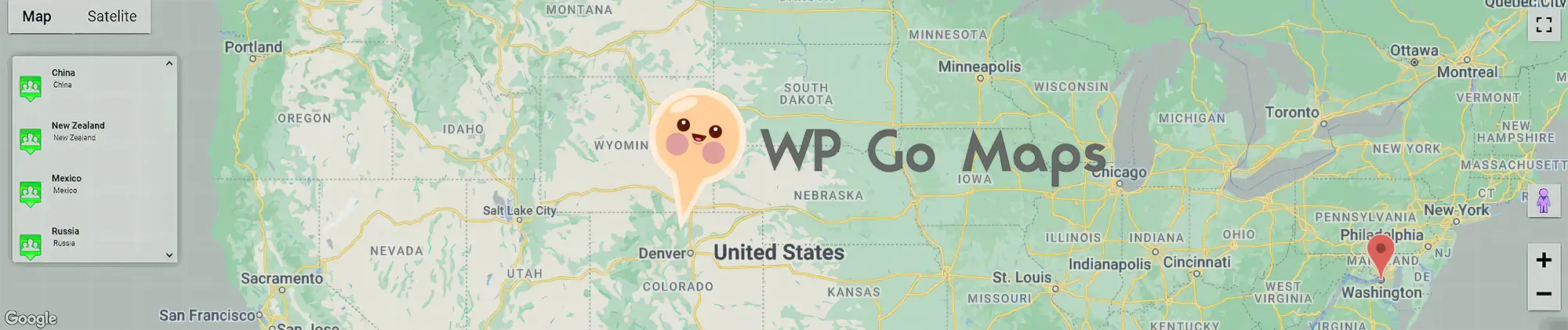
WP Go Maps lets you build interactive maps without manually writing mapping code. You can add locations, create markers, customize how information appears and insert the resulting map into a WordPress page or post.
Its strongest use cases are store locators, office/distributor maps, directories, delivery areas, route maps, event maps and content where location is part of the user experience.
One of the most important differences between WP Go Maps today and older versions is that you do not have to build around Google Maps.
This flexibility matters because Google Maps API pricing and billing requirements have changed over the years. A site that only needs a basic location map or store locator may not need a paid Google Maps setup at all.
Maps can load resources from third parties, so privacy is part of the implementation, not just visual design. WP Go Maps now supports privacy-friendly engines and a built-in consent option that can prevent map resources from loading until the visitor agrees.
If your site uses Google Maps, this is particularly relevant because requests can send visitor data to Google. If privacy is a priority, an OpenStreetMap/Leaflet setup may be preferable.
The free plugin is enough for many simple location maps. It can create responsive maps with markers, map blocks and basic store-locator functionality without requiring custom code.
If you only need a contact-page map or a small set of business locations, the free edition is a sensible place to start.
PRO is aimed at sites where the map becomes a real application rather than a simple visual element.

The Gold add-on sits on top of PRO and adds features that are mainly useful for larger or more interactive location datasets.
Gold requires the PRO add-on. It is not a standalone mapping plugin.
WP Go Maps uses one-time licensing rather than annual subscriptions.
The 1-site and 5-site licenses include access to Version 10 forever, including security patches and WordPress/PHP compatibility updates for that major version. Future major-version upgrades are optional and currently offered at a discount rather than automatically included.
The Gold add-on is also sold separately for PRO users. Current pricing starts at $19.99 one time for 1 site, $29.99 for 3 sites, $99.99 for 10 sites and $199.99 for unlimited sites.
All current plans are one-time purchases with a 30-day money-back guarantee. Check the official WP Go Maps pricing page before purchasing.
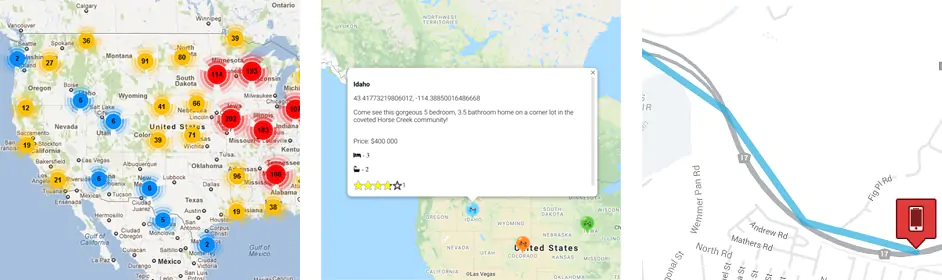
The store-locator workflow is one of the plugin’s strongest practical use cases. Visitors can search for nearby locations, filter by distance or category, use geolocation and get directions without leaving the site.
This makes WP Go Maps suitable for retailers, franchises, distributors, clinics, service-area businesses and any organization with many physical locations.
A map is a relatively heavy interactive component compared with normal text or images. Performance depends on the mapping engine, number of markers, external APIs, marker images and how much JavaScript is loaded.
WP Go Maps has continued optimizing its scripts, imports and map rendering, but there is no universal guarantee that adding an interactive map has zero performance cost. For large marker sets, clustering, lazy loading and efficient data handling become more important.
For a simple contact page, consider whether you need a fully interactive map at all. For a directory or store locator, the richer functionality usually justifies the extra frontend weight.
WP Go Maps received several security fixes during 2026, including fixes affecting REST endpoints, unauthenticated requests and marker filtering. The current WordPress.org version is 10.1.09.
This is a good reminder that mapping plugins expose data and API endpoints and should be updated like any other security-sensitive WordPress component. Do not leave an old major release installed indefinitely simply because the visible map still works.
The developer also now offers WP Go Maps Cloud, a hosted mapping service that can embed maps into Shopify, Squarespace, Webflow, Wix or custom HTML sites without installing the WordPress plugin.
This is separate from the normal WordPress plugin and is mainly relevant if you need the same mapping system outside WordPress.
WP Go Maps is most useful when location is a real part of the website’s functionality: directories, store locators, distributor networks, service areas, event maps or datasets with many geographic points.
For a business with one address and no need for interaction, a simpler embedded map may be enough. For richer map-driven experiences, PRO provides substantially more control.
Need help configuring maps or maintaining your WordPress site? See our WordPress Maintenance service. Suitable premium licenses may be included from our available subscriptions when applicable.
WP Go Maps remains one of the most established mapping platforms in the WordPress ecosystem. Its biggest strength in 2026 is flexibility: you can start with a simple free map, avoid Google entirely with open mapping engines, or build a full store locator or geographic directory with PRO and Gold.
The product has also become more privacy-aware and less dependent on one map provider, which makes it easier to choose the right balance of cost, privacy and functionality for each project.
If your site depends on maps for discovery, filtering or directions, PRO is where the plugin becomes substantially more capable. If you only need a basic location map, Free may be all you need.