Your WordPress site, in good hands.
Tell us what needs improving. We can help with speed, maintenance, fixes, and new websites.

Your WordPress site, in good hands.
Your WordPress site, in good hands.
Advanced Scripts is a WordPress code manager for adding and controlling PHP, CSS, JavaScript, SCSS, LESS, HTML snippets and external resources without editing functions.php or spreading custom code across several plugins.
Updated September 2026: the plugin has matured considerably since this review was first published. Its newer releases focus heavily on conditional execution, safer PHP handling, code organization and performance on larger WordPress sites.

Advanced Scripts centralizes custom code that would otherwise live in a child theme, a snippets plugin, a header/footer plugin, a custom CSS tool or a separate SCSS workflow.
That makes it useful for developers and technically comfortable site owners who repeatedly add small pieces of site-specific functionality but want those changes to remain organized and easy to disable.
It supports several code and resource types, including:
Adding custom PHP directly to a theme’s functions.php works, but it mixes site functionality with theme files and creates unnecessary friction when changing themes, troubleshooting problems or handing the site to another developer.
A code manager lets each customization live as its own named script. You can turn it on or off independently, document what it does, define when it runs and troubleshoot it without searching through a long theme file.
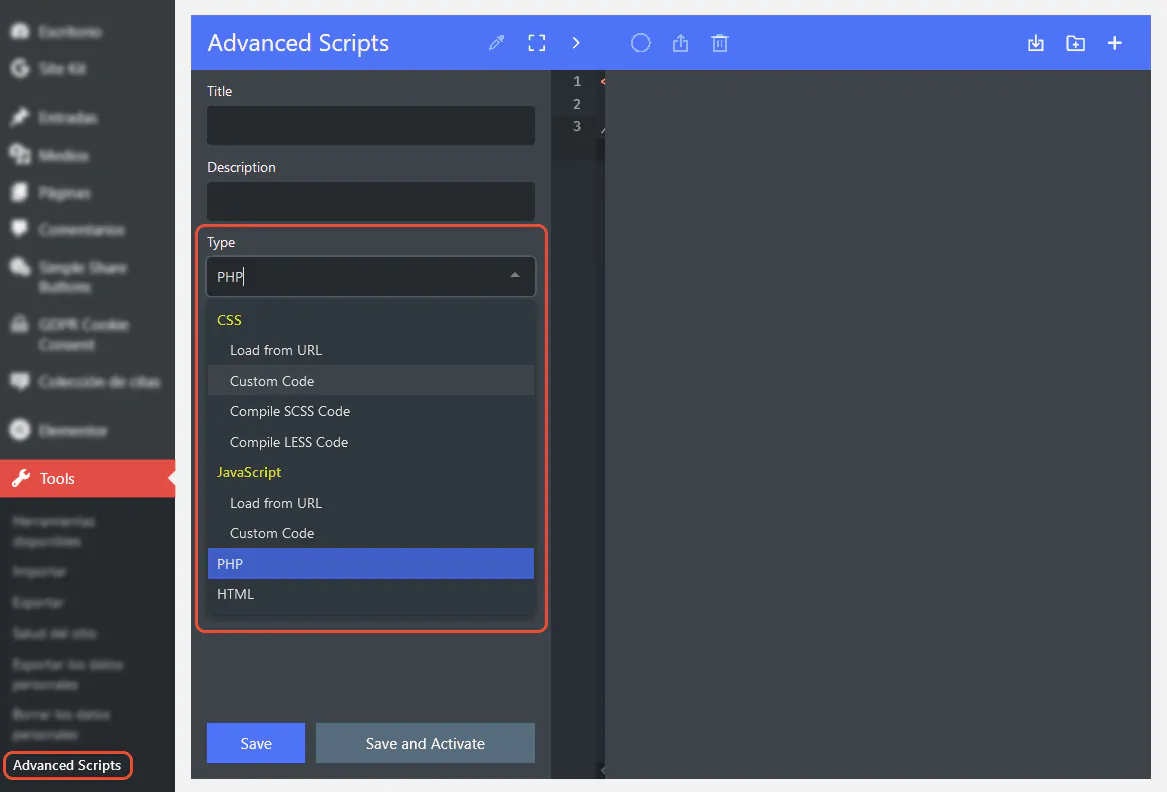
The reason we find Advanced Scripts particularly useful is not simply that it stores code. It lets you control where and when that code executes.
For example, a JavaScript library can be loaded only on pages that actually need it. A WooCommerce customization can be restricted to checkout. A PHP snippet can run only for a particular post type or user capability. A campaign script can be triggered by a URL parameter or cookie.
This matters for maintainability and can also help performance. A script that serves one landing page does not need to load across the entire website.

The interface is designed around individual scripts rather than one large code file. Scripts can be grouped into folders, enabled or disabled independently and exported for reuse on other WordPress installations.
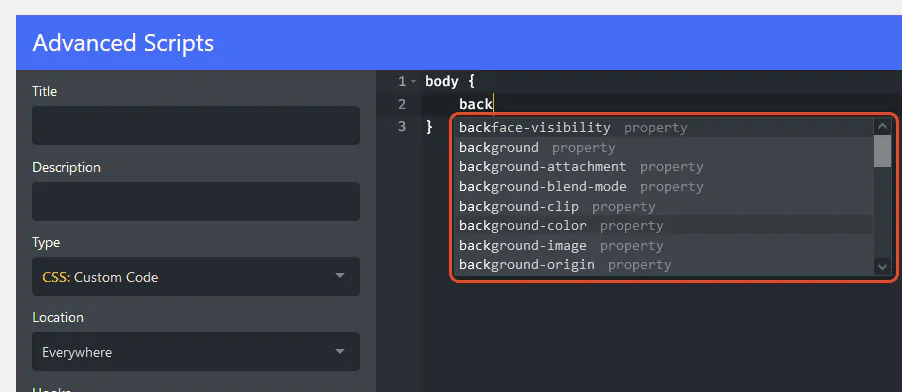
The editor provides syntax-aware editing for the supported languages. SCSS partial support also makes it possible to break larger style systems into reusable pieces instead of maintaining one oversized stylesheet.
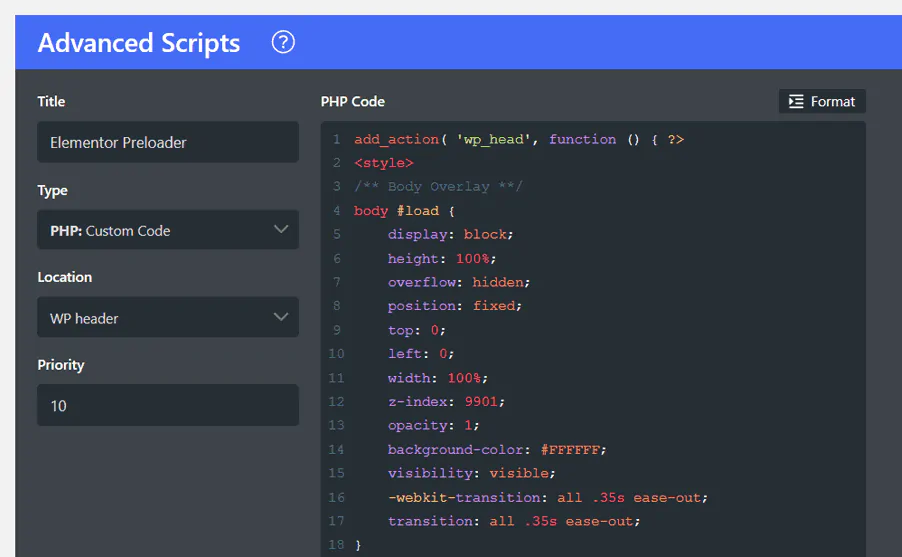
Advanced Scripts can also load external resources directly from a URL. That can be useful for a JavaScript library, hosted stylesheet or web font that would otherwise require custom enqueue code.
The convenience is real, but external assets should still be added deliberately. Every third-party request can affect privacy, reliability and page speed. If a library is needed only on one template or feature, use Advanced Scripts’ conditions instead of loading it globally.
Running custom PHP from the WordPress dashboard always deserves caution because a syntax or runtime error can break part of the site.
Advanced Scripts includes a Safe Mode designed to help recover from problematic PHP snippets. The plugin can detect many failures and offers a way to temporarily stop PHP script execution in the admin area while you fix the code.
The newer storage system also writes generated PHP scripts to a dedicated directory under wp-content/advanced-scripts, which gives developers another recovery path through SFTP or a hosting file manager if necessary.

It can help, but mostly by giving you better control over code that you were already going to run.
For example, conditionally loading a JavaScript library only on pages that use it is better than including it site-wide. Consolidating several tiny code-management plugins can also simplify the stack.
However, installing Advanced Scripts by itself will not make a site faster. Poorly written PHP, large JavaScript libraries and too many third-party resources are still expensive regardless of which plugin loads them.
Advanced Scripts is effectively a code execution tool, so access should be limited to trusted administrators. A user who can add arbitrary PHP or JavaScript already has enormous control over the site.
One unusual advantage is that Advanced Scripts is still sold with lifetime licenses rather than annual renewals. At the time of this 2026 update, the published prices are:
All three plans currently advertise lifetime updates and lifetime support. Clean Plugins also offers a seven-day trial and a 30-day money-back guarantee. Check the official Advanced Scripts page before purchasing in case pricing changes.
Advanced Scripts is a strong fit for developers, agencies and site owners who maintain recurring customizations and want them separated from theme files.
It is probably unnecessary for someone who never adds custom code. It is also not a substitute for a proper custom plugin when a site-specific feature grows into a large application with many files, classes, dependencies and automated tests.
For small and medium customizations, though, it gives WordPress administrators a clean middle ground between editing theme files and building a standalone plugin for every tweak.
Code Snippets remains a popular choice when the primary requirement is organizing PHP snippets. Advanced Scripts is broader: it is built around managing several code types, external resources, preprocessors, custom hooks and detailed execution conditions from the same interface.
The better choice depends on the job. If you only need a handful of PHP snippets, a simpler snippets tool may be enough. If the site contains PHP, frontend scripts, custom styles and conditional assets that need to be managed together, Advanced Scripts becomes much more compelling.
Advanced Scripts remains one of the most practical ways to manage site-specific code in WordPress. Its main strength in 2026 is not merely supporting many languages, but letting you control exactly when code should run.
The newer conditional filters make it significantly more useful for performance-conscious builds and complex sites. Safe Mode, Site Health checks and the dedicated PHP storage system also make it more recoverable than simply pasting code into a theme file.
At FastWeb, we still recommend treating custom code as production code: keep it documented, test important changes on staging, and load only what each part of the site actually needs.
Need help auditing custom code, reducing unnecessary scripts or maintaining a WordPress site? See our WordPress Maintenance service.