Your WordPress site, in good hands.
Tell us what needs improving. We can help with speed, maintenance, fixes, and new websites.

Your WordPress site, in good hands.
Your WordPress site, in good hands.
AB Split Test is a self-hosted A/B testing and conversion-optimization plugin for WordPress. It can test full pages, individual elements, layouts, copy, CSS, JavaScript and ecommerce flows while keeping test data on your own WordPress installation.
Updated September 2026: AB Split Test is now at version 2.6.11. It has grown far beyond the simple page-builder split-testing plugin we originally reviewed, adding point-and-click experiments, CROassist AI, heatmaps, session replays, Page Analytics, revenue optimization, reusable audiences, MCP/API/CLI automation, Cloudflare Edge testing and support for running tests on external domains.
A/B testing compares two or more versions of the same experience using real visitor behavior. Version A might use one headline while version B uses another. Traffic is distributed between the variations and a conversion goal determines which performs better.
The same method can be used for buttons, forms, pricing sections, product pages, landing pages, checkout flows or complete layouts.
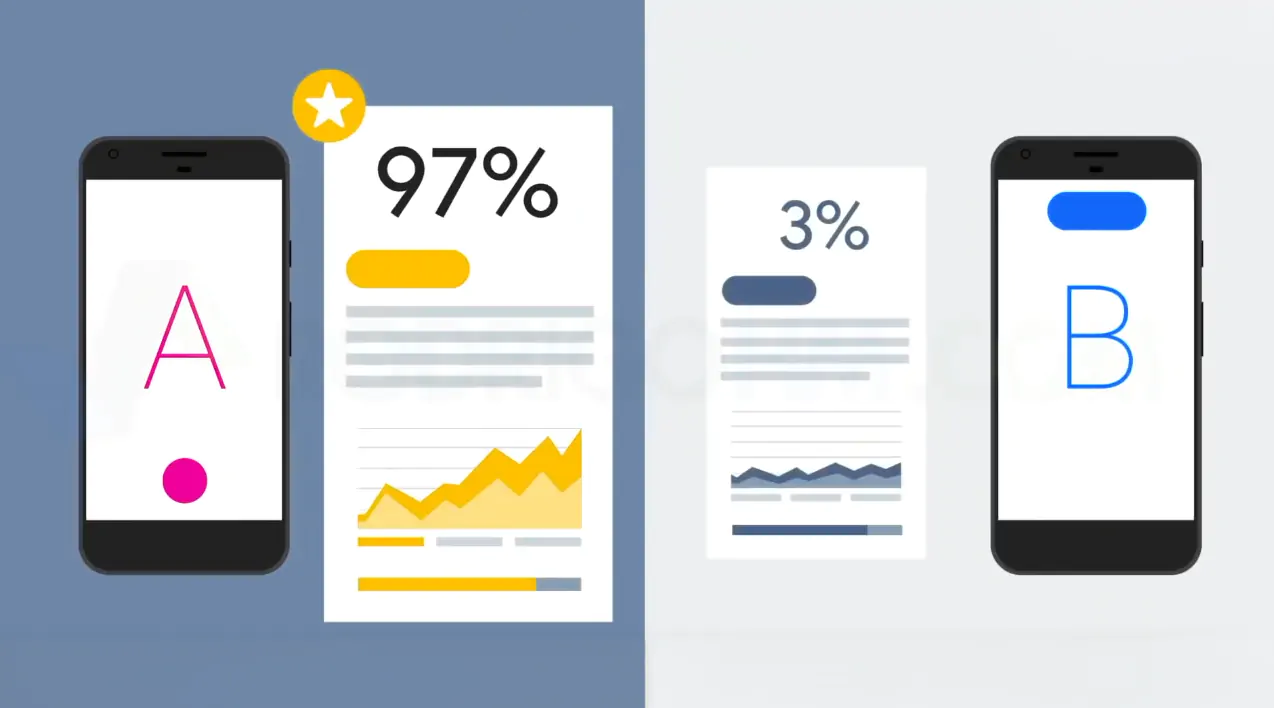
The goal is not to guess which design looks better. It is to measure whether a specific change improves a defined business outcome.
Magic Mode is the fastest workflow. Open a page while logged in, start a new Magic test from the admin bar, click the element you want to change and create the variation directly on the live page.
You can change text, images, HTML, styles and attributes, hide elements, move them, or add new elements. CROassist can also propose copy variations.
AB Split Test integrates with page builders and the WordPress editor, including Gutenberg, Elementor, Bricks, Beaver Builder, Oxygen, Breakdance, WPBakery, Kadence, GenerateBlocks and others.
This is useful when you want to create each variation in the builder itself and let AB Split Test control which version visitors see.
A full-page test compares complete URLs or layouts. This is useful for landing pages, pricing pages or checkout flows where the entire experience changes rather than one element.
Paid users can also use server-side rendering or Cloudflare Edge delivery for eligible full-page experiments, reducing visible redirects or flicker.
Advanced users can test custom HTML, CSS or JavaScript directly. This is useful for experiments that do not map neatly to a page-builder element.
A useful A/B test needs a measurable goal. AB Split Test currently supports conversion types such as:
For low-traffic sites, a high-funnel goal such as scroll depth or active time can collect useful data faster than a rare purchase event. Paid plans can also track additional sub-goals alongside the primary conversion.
AB Split Test has become much more capable for ecommerce. WooCommerce conversions can be tracked server-side, including delayed payments and gateway webhooks, so a purchase can still be attributed correctly even when the browser is no longer present.
You can also optimize by revenue per visitor rather than only conversion rate. This matters because the variation generating the most orders is not always the variation generating the most revenue.
Current ecommerce integrations include WooCommerce, SureCart, Easy Digital Downloads and FluentCart, with support for several funnel and subscription workflows.
AB Split Test uses a Bayesian statistics engine to continuously estimate which variation is most likely to perform better.
The current Autocomplete rules do not simply stop a test as soon as one variation gets ahead. Before automatically declaring a winner, AB Split Test requires:
When those conditions are met, Autocomplete can stop sending traffic to the losing variations, mark the experiment complete and email the result.
This is more responsible than the old version of our article, which implied the plugin could simply decide a winner “quickly.” Statistical confidence still depends on traffic and conversion frequency.
Traditional A/B testing tries to keep traffic distribution stable until a winner is found. AB Split Test also offers a dynamic multi-armed bandit mode that progressively allocates more traffic to better-performing variations while continuing to explore the alternatives.
This can reduce the opportunity cost of sending half your traffic to a clearly weaker variation, but it answers a slightly different optimization question than a fixed experiment. Use it when continuous optimization matters more than producing a clean fixed-allocation experiment.
Paid AB Split Test plans now include behavioral analytics alongside experiments:
The advantage is that quantitative experiment results and qualitative behavior data live in the same optimization workflow. A heatmap may help explain why one variation is underperforming or suggest the next experiment to run.
AB Split Test now includes an AI-assisted optimization layer called CROassist. It can scan a site, identify potential conversion issues, rank test ideas and help turn suggestions into live experiments.
The Optimization Hub brings together active tests, AI-generated ideas, website analysis and competitor-oriented research. Automatic scans can periodically generate new ideas when no recent CRO analysis has been performed.
AI is optional. You can still build and analyze experiments manually without relying on CROassist.
Tests can be targeted or analyzed using visitor characteristics such as:
Reusable Audiences can also be attached to experiments and analyzed separately, so you can compare how different cohorts respond without necessarily excluding the rest of your traffic from the test.
One of the biggest 2026 changes is that AB Split Test is no longer limited to pages hosted by the same WordPress installation.
As of version 2.6.11, external-domain testing supports full-page, point-and-click, CSS and on-page tests. Heatmaps, Page Analytics and session replays can also collect data from tracked external pages.
This means a WordPress installation can function as the experiment and reporting engine for another website, including a non-WordPress frontend, as long as the required tracking integration is installed there.
Paid plans can deploy eligible full-page experiments through a Cloudflare Worker. Variation assignment can therefore occur at the edge rather than waiting for the origin page and browser logic.
This is primarily useful for high-traffic or performance-sensitive split-URL tests. It is not required for normal WordPress experiments.
AB Split Test is primarily self-hosted: test and visitor data stay on your WordPress installation rather than being stored in a third-party experimentation SaaS.
The plugin supports cookie-consent workflows and integrations with consent platforms. When consent mode is enabled, tracking can wait for the required approval before storing or transmitting experiment data.
The latest releases also hardened click tracking so form-field values are not captured and recorded link URLs have non-UTM query parameters removed.
AB Split Test can integrate experiment events with analytics platforms such as GA4, Meta Pixel, Matomo and Plausible.
For technical workflows, it now exposes:
These interfaces make it possible to create, inspect and manage tests as part of agency automation or development workflows rather than only through the WordPress UI.
The exact workflow depends on the test type, but a useful basic process is:
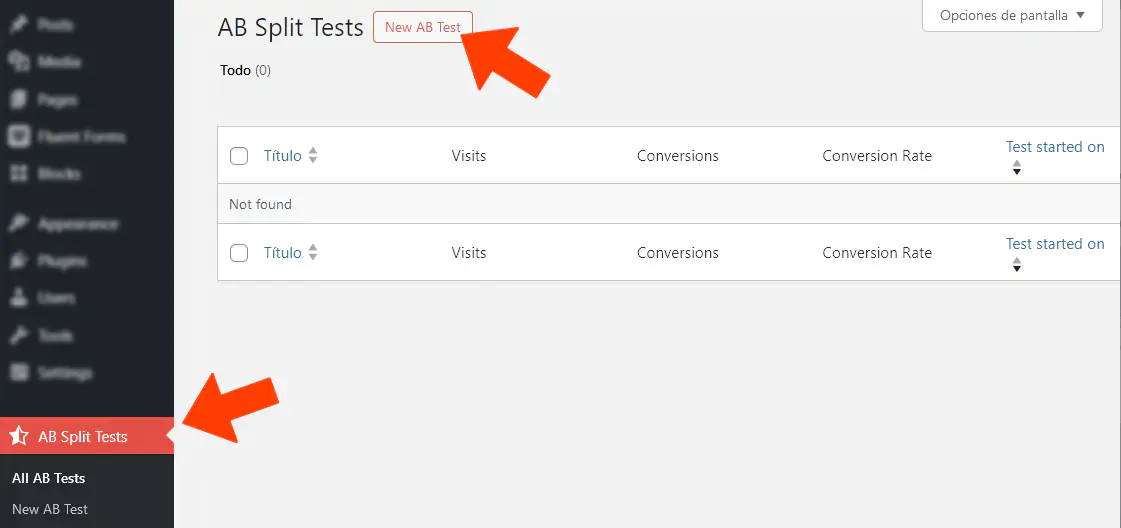
The free Lite edition is useful for learning and low-traffic sites. It currently includes:
The paid Teams plan removes the main operational limits and adds the full feature set, including unlimited active tests, unlimited variations/goals, point-and-click tests, code tests, heatmaps/session replays, ecommerce revenue optimization, external-domain testing, analytics integrations, AI features, Cloudflare Edge support, white labeling and advanced automation interfaces.
AB Split Test has simplified paid licensing into one feature-complete Teams plan.
The Teams license currently covers unlimited sites and includes every paid feature. Annual and lifetime customers avoid usage-based traffic limits because experimentation data is primarily handled on your own infrastructure.
The vendor advertises a 14-day money-back guarantee. A free installation also includes a 7-day trial of Teams features before reverting to Lite.
Check the official AB Split Test pricing page before purchasing.
AB Split Test is particularly attractive for WooCommerce stores, lead-generation sites, agencies and marketers that already manage WordPress and want experimentation without adding another traffic-priced SaaS platform.
It is also increasingly interesting for agencies because one Teams license currently covers unlimited sites, external-domain testing is supported, and reports can be shared with clients.
For a small site with very little traffic and no clear conversion event, the free edition is enough to learn the workflow, but large or subtle experiments may not gather enough data to justify continuous testing.
Need help improving WordPress conversion performance without sacrificing speed? See our WordPress Maintenance and WordPress Speed Optimization services. Suitable premium licenses may be included from our available subscriptions when applicable.
AB Split Test has evolved into a much broader conversion-optimization platform than its name suggests. It still does straightforward WordPress A/B testing well, but the current product also combines behavioral analytics, ecommerce revenue tracking, AI-assisted CRO, external-domain testing and developer automation.
Its strongest differentiator is the self-hosted WordPress model: there are no pageview credits or traffic tiers, and the plugin can integrate directly with the builders and ecommerce tools already running on the site.
The trade-off is that experimentation still requires good hypotheses, enough traffic and careful interpretation. The software can calculate confidence and surface ideas, but it cannot turn an insignificant cosmetic change into a meaningful business experiment.