Your WordPress site, in good hands.
Tell us what needs improving. We can help with speed, maintenance, fixes, and new websites.

Your WordPress site, in good hands.
Your WordPress site, in good hands.
WPCodeBox is a WordPress code-snippet manager built for developers, agencies and technically comfortable site owners who want to manage PHP, CSS, JavaScript, HTML, JSON and preprocessor code without scattering customizations across functions.php, theme files and multiple snippet plugins.
Updated September 2026: WPCodeBox 2 is now at version 1.4.1. The product has grown well beyond basic snippet storage, adding a VS Code-style editor, revisions, plugin export, a Functionality Plugin, secure external execution, cloud reuse, safer error recovery and new MCP configuration support.
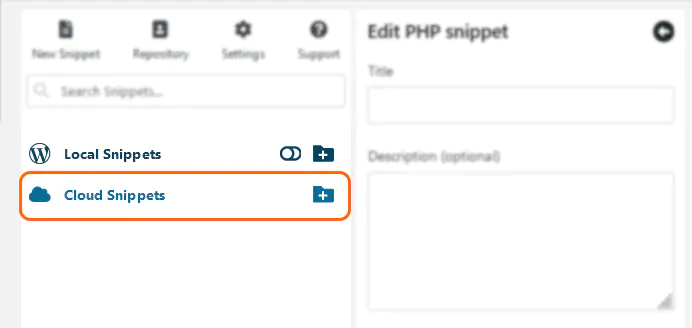
WPCodeBox gives custom WordPress code a dedicated home. Instead of placing PHP inside a theme’s functions.php, JavaScript in a header/footer injector and CSS in yet another interface, you can manage those customizations as individual snippets from one plugin.
Each snippet can have its own name, description, execution rules and status. That makes custom code easier to understand, disable, test and move between websites.
Supported snippet types include PHP, CSS, SCSS, LESS, JavaScript, HTML, JSON, Markdown and plain text, depending on the workflow.
WPCodeBox 2 uses the Monaco editor, which powers Visual Studio Code. That gives the WordPress interface features such as syntax highlighting, autocomplete, multiple cursors, Emmet, code navigation and WordPress hook/action references.
For CSS workflows, the editor also supports CSS variables, live preview and preprocessors such as SCSS and LESS. SCSS partials can be organized and reused across snippets.
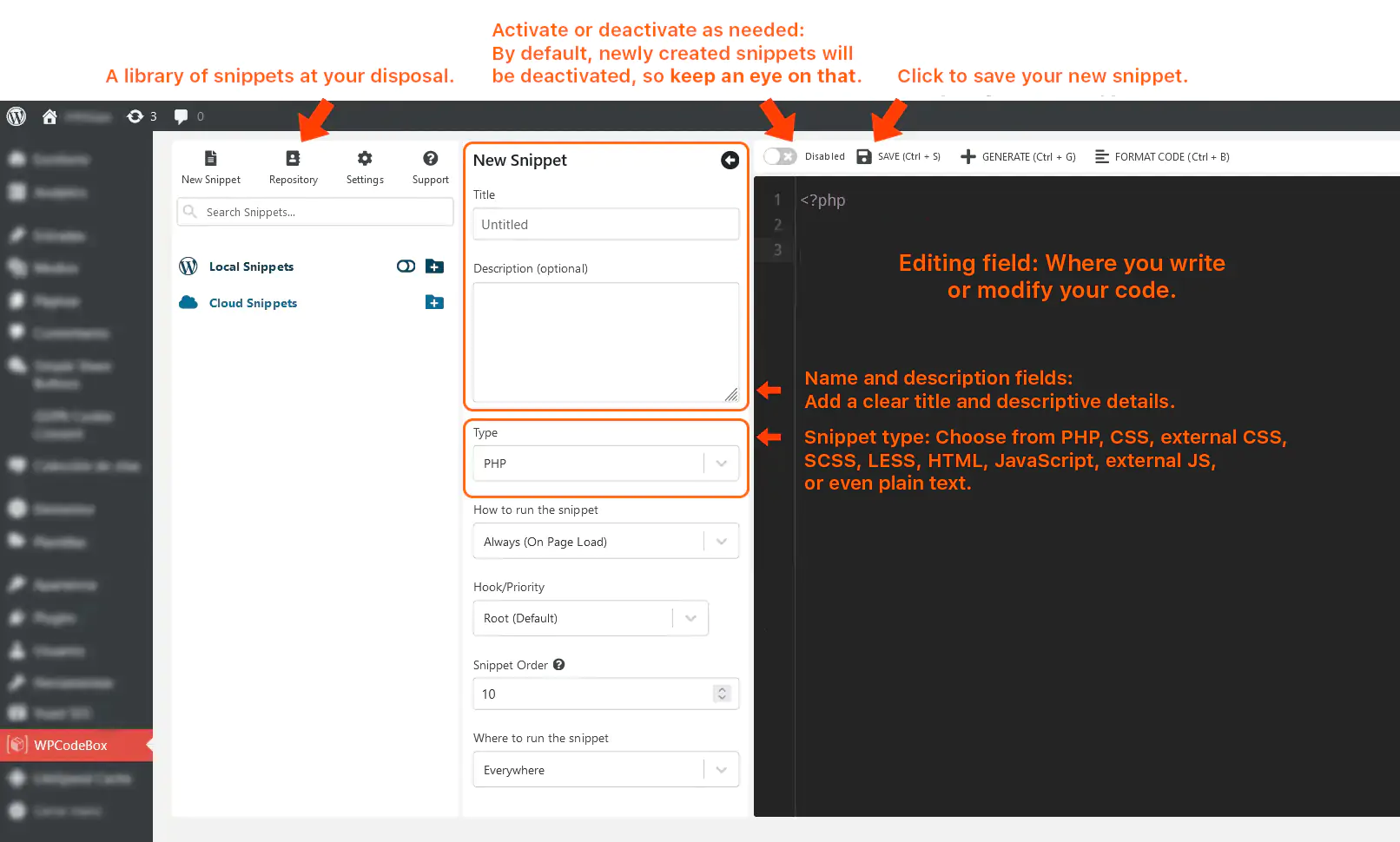
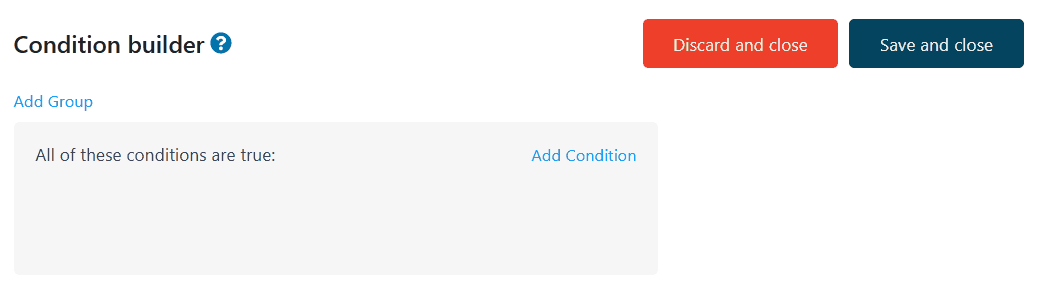
One of WPCodeBox’s strongest features is its condition builder. A snippet does not have to run on every request simply because it exists.
You can target code by frontend or admin context, post, post type, taxonomy, URL, logged-in user, device and custom PHP conditions. Conditions can be grouped with AND/OR logic for more precise targeting.
This is useful for both maintainability and performance. A script that only applies to WooCommerce checkout, for example, does not need to run across the entire site.
Cloud reuse is still one of the features that distinguishes WPCodeBox from simpler snippet managers. Code is saved locally by default, but selected snippets can also be uploaded to your WPCodeBox cloud account and reused on other websites.
The web app also supports cloud snippet management, revisions, diffs and export. For agencies maintaining many WordPress sites, that can eliminate a lot of repetitive copying and pasting.
Cloud API keys are separate from site licenses and can be configured with different access levels. This matters when multiple people or systems need controlled access to a shared snippet library.
WPCodeBox 2.1/1.2-generation releases added a much better revision workflow. Snippets can keep revision history with code diffs, notes and bookmarks, which is valuable when a customization evolves over time.
For production sites, being able to compare a working version with a recent change is considerably safer than treating every snippet as one mutable block of code.
The Functionality Plugin is one of WPCodeBox’s most useful developer features. Selected snippets can run from a dedicated plugin instead of being executed from the WordPress database through WPCodeBox.
This can simplify client handoff and reduce dependency on the main WPCodeBox interface. If WPCodeBox itself is later disabled or removed, the functionality plugin can continue running the custom code.
You can also export selected snippets as a standalone WordPress plugin. This is a good transition point when a customization has matured beyond an experimental snippet but does not yet justify a larger development project.
Any plugin that can execute PHP needs a recovery strategy. WPCodeBox includes error detection that can disable problematic snippets, plus a Safe Mode for cases where code causes a fatal error that prevents normal administration.
The September 2026 v1.4.1 release improved fatal-error attribution so errors inside snippet-registered callbacks can be tied back to the correct snippet and disabled during shutdown. It also improved Safe Mode and Functionality Plugin recovery URLs.
These protections reduce risk, but they do not make arbitrary code safe. Important changes should still be tested on staging, and code copied from the web should be reviewed before execution.
WPCodeBox can expose a secure external URL for running a specific snippet. This makes it possible to trigger WordPress code from an external service such as an automation platform without exposing the snippet itself publicly.
This is useful for controlled automation, but the generated token should be treated like a credential. Anyone with a working execution URL may be able to trigger the associated action.
WPCodeBox 2 v1.4.1 includes improved Model Context Protocol (MCP) configuration support. Generated configurations now use stable, site-specific server names, and setup prompts can include configuration guidance for supported clients.
This is especially relevant as WordPress development workflows increasingly involve AI clients and coding agents. It does not mean every site should expose development tools automatically: MCP access should be configured only for trusted clients and with the minimum permissions required.
WPCodeBox can help you build a leaner site, but the performance benefit comes from what code you choose to run and where you run it, not from the plugin simply being installed.
Replacing a large plugin with a small, well-written snippet can reduce overhead in some cases. Likewise, conditionally loading CSS or JavaScript only where it is needed is better than loading it globally.
But a poorly written snippet can be slower or less secure than a mature plugin. A snippet manager is a development tool, not an automatic optimization layer.
If you only need to store a few PHP snippets on one website, a simpler snippets plugin may be enough.
WPCodeBox becomes more compelling when you need a broader development workflow: multiple code types, cloud reuse, advanced conditions, revisions, SCSS/LESS, secure external execution, plugin export, a Functionality Plugin or agency-scale reuse across many sites.
The current WPCodeBox plugin pricing published by the developer is:
These plans include unlimited snippets, cloud access and the snippets web app. WPCodeBox also sells expanded cloud-storage plans, including an unlimited cloud bundle for $149/year.
The separate WPCodeBox IDE is currently offered as a beta product at $49/year for unlimited sites or $149 for an unlimited lifetime license. It is a file manager and code editor for working directly with WordPress files, and should not be confused with the normal snippet-manager license.
The developer offers a 30-day money-back guarantee. Check the official WPCodeBox pricing page before buying because pricing is explicitly marked as subject to an upcoming increase.
WPCodeBox is best suited to WordPress developers, agencies and advanced site owners who regularly maintain custom PHP, frontend code or reusable functionality across one or more sites.
It is less compelling for a site owner who never writes or reviews code. Ready-made snippets can make the product approachable, but installing arbitrary code without understanding it remains risky regardless of the interface.
Need help maintaining custom WordPress code? Our WordPress Maintenance service can help, and suitable premium licenses may be included from our available subscriptions when applicable.
WPCodeBox is much more than a place to paste PHP snippets in 2026. Its strongest value is the workflow around custom code: organization, conditional execution, cloud reuse, revision history, safer recovery and the ability to turn snippets into independent plugins.
The Functionality Plugin and standalone export features are particularly useful for professional WordPress work because they create a path from quick experimentation to maintainable client code.
For developers and agencies that repeatedly customize WordPress, WPCodeBox can replace a fragmented collection of code-management tools with one more structured workflow. For simple sites with only one or two snippets, it may be more capability than necessary.