

Metorik is worth testing if you regularly export WooCommerce data to calculate margins, compare repeat buyers or investigate refunds. For a quick read on orders, sales and top products, WooCommerce Analytics already covers the essentials. Below is a practical way to compare them with a closed month from your own store.
FastWeb may earn a commission if you subscribe through our affiliate link. Try Metorik.
Metorik vs. WooCommerce Analytics
| Task | WooCommerce Analytics | Metorik |
|---|---|---|
| Review sales and refunds | Built-in revenue and order reports, date comparisons and CSV downloads. | Dedicated reports plus filters you can use to investigate a specific group of orders. |
| Understand profit | Useful starting point for sales. Check which cost data your WooCommerce setup records. | Combines product costs, payment fees, shipping, ad spend and extra costs you supply or sync. |
| Compare customer groups | Standard report filters and exports for further analysis. | Reusable segments and cohort reports for questions about repeat purchases and retention. |
| Cost and setup | Included in WooCommerce and accessible in WordPress. | External subscription priced by average monthly orders. Requires connecting your store. |
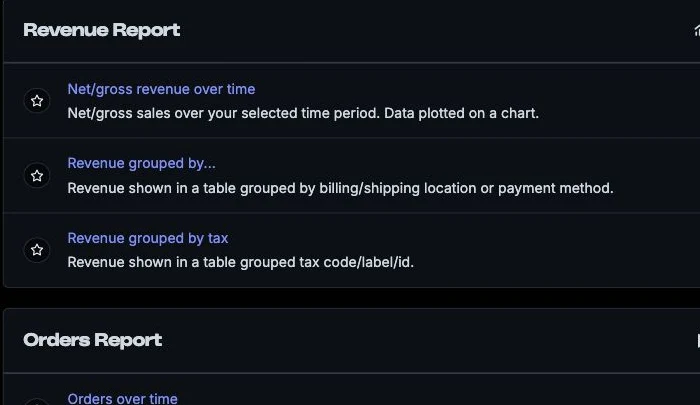
See the official WooCommerce Analytics documentation and Metorik report catalog.
Connect WooCommerce and reconcile a month
- Connect the store using Metorik’s WooCommerce setup instructions. Check that the WooCommerce REST API is available and wait for the initial sync.
- Pick a completed calendar month and compare the same dates, time zone, currency, order statuses and date basis. Start with order count and net sales. Record how each report treats shipping, taxes and discounts.
- Open a fully refunded order and a partially refunded order. If totals differ, check whether the refund is attributed to the order date or refund date, then trace the discrepancy using a few actual orders.
For stores using several currencies or custom order statuses, start with one currency and one consistent set of statuses before widening the comparison. Metorik documents its WooCommerce reporting terminology.
Set up costs before comparing margins
Start with product costs for a few high-volume items. Add payment fees and the actual cost of shipping, especially if you offer free shipping. Check that coupons and partial refunds affect the order as expected. When adding ad spend, verify the period and reporting level before comparing it with order-level profitability. Check how historical orders handle changes to product costs before relying on old margins.
For example, suppose a sale nets USD 100 after discounts and refunds. Subtract USD 45 for the product, USD 7 for shipping and USD 3 for processing. That leaves USD 45 before advertising and overhead. Use a small sample and compare it with your payment provider and shipping records. Metorik explains which costs it can track.
Save a segment that answers a weekly question
Start with “Which orders using a coupon were refunded?” Use the order filters to narrow the date range, select coupon use and add the refund criteria that match your question. Save the segment if you’ll revisit it weekly. Review partial refunds separately if you need to distinguish how often refunds happen from how much revenue is returned.
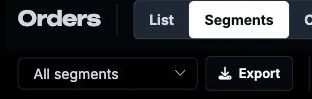
For a customer question, compare groups by first purchase period and see how many return. Keep the time window consistent so newer groups have the same opportunity to place a second order. See Metorik’s guide to segments.
What can you see about abandoned carts?
On WooCommerce, Metorik’s cart reports start collecting data when tracking is active. Its documentation says the reports include carts with a valid email address or from signed-in users. Compare them with the same population when evaluating recovery, and give the store time to collect enough data. See how cart reports count activity.
Is Metorik worth paying for?
Start with WooCommerce Analytics if you mainly check sales, refunds and best sellers. Try Metorik if a recurring export or manual reconciliation takes time every week, or if you need to compare margin across customer groups. During the trial, run one monthly reconciliation, check a handful of margins and save a weekly segment. Compare the time saved with the current price for your order volume.