
FastWeb Solutions
QR code menu for restaurants.
Guests scan the code at the table and open your menu in their browser. FastWeb sets up your WordPress site so you can update dishes, photos, and prices whenever you need.
For restaurants, cafés, and bars.
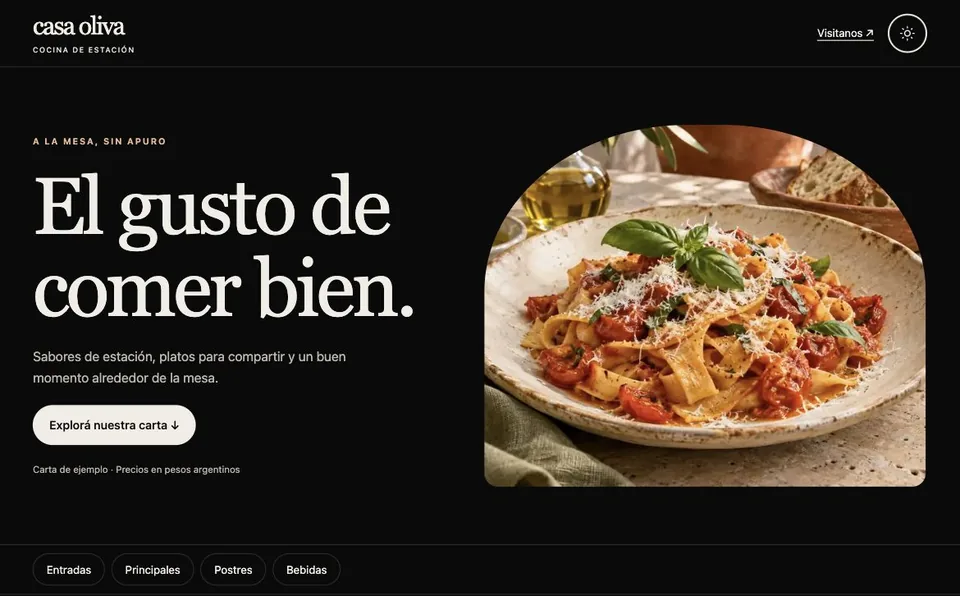
Your menu on your own website.
A menu guests can read on their phones
Group dishes and drinks by category with photos, descriptions, and prices. Add opening hours, your address, and a WhatsApp link.
Updates in the WordPress editor
Your Editor account lets you change the menu and business details. Share the same menu link on Google, Instagram, or WhatsApp.
A printable QR code for your tables
The code opens your menu URL. Keep that address and you can update dishes or prices while continuing to use the same printed QR code.
From the demo to your tables.
Choose your web address
Tell us about your venue and whether you want to use your own domain or an address included with the hosting plan.
We set up WordPress
We install the template and give you Editor access to add your menu. If you would like us to load your content, ask about initial personalization.
Print your QR code
We provide a QR code for your final menu URL. Scan it with your phone camera before printing your table signs.
Questions about your QR menu.
Do guests need an app?
They can scan the QR code with their phone camera and open the menu directly in their browser.
Can I use my own domain?
Yes. You can use a domain you already own. If you need a new domain, we will quote its registration separately.
Can I change prices after printing the QR code?
Yes. Edit your prices in WordPress and publish the changes. The printed code keeps working while your menu URL stays the same.
What does the menu include?
It displays dishes, drinks, prices, and venue information. Guests can contact you through your WhatsApp link.
Want a menu like this for your venue?
Tell us what you need and whether you already have a PDF, photos, or menu text. We can help you plan setup and content preparation.