
Meta Box is a WordPress framework for creating and managing custom fields, custom post types, taxonomies, relationships, settings pages, custom database tables, frontend forms and other structured data.
Updated September 2026: Meta Box is currently at version 5.15.1 with more than 500,000 active installations on WordPress.org. The product has changed considerably since our original review: Meta Box Lite now includes a visual field builder, 2026 added a native Block Editor field, Block Bindings support, WordPress Abilities integration and WooCommerce HPOS support.
Meta Box in 2026: what changed?
- Meta Box 5.15.1: released September 17, 2026, with WordPress 7.1 fixes.
- WooCommerce HPOS support: Meta Box fields can now be used with WooCommerce orders stored in High-Performance Order Storage.
- Block Bindings: custom field values can be bound directly to supported WordPress blocks without shortcodes or PHP.
- Abilities: recent versions expose structured content-management operations through WordPress capabilities, with additional authorization hardening added afterward.
- Block Editor field: a custom field can itself contain a Gutenberg-style block editor.
- Meta Box Lite: the free package now includes a visual UI for custom fields, post types and taxonomies, correcting one of the biggest limitations in our old article.
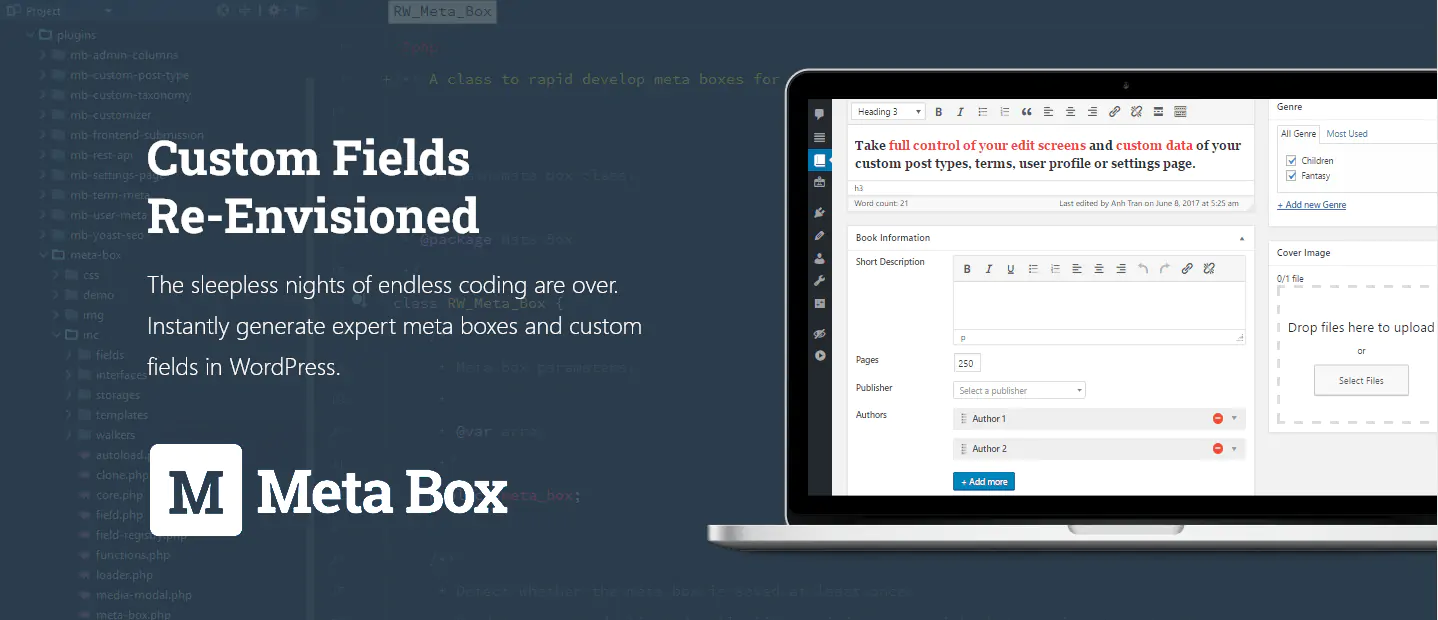
What are custom fields in WordPress?
WordPress posts and pages already have standard data such as title, content, author, date and featured image. Custom fields let you attach additional structured information that WordPress does not know about by default.
For a book catalog, that could mean ISBN, author, publisher, cover type and publication year. For a real-estate site it could mean price, bedrooms, area and location. For a team directory it could mean job title, department, phone number and social profiles.
The important distinction is that structured data is not merely text inside the editor. Each value can be stored separately, filtered, queried, reused in templates and displayed differently depending on context.
What is Meta Box?
Meta Box started as a developer framework for registering WordPress meta boxes and custom fields with PHP. It has since evolved into a larger dynamic-content system with both visual and code-first workflows.
The core framework supports more than 50 field types, including text, numbers, dates, images, files, maps, users, posts, taxonomies, groups and newer block-editor fields.
You can use Meta Box in two very different ways:
- Visual workflow: build post types, taxonomies and fields from the WordPress dashboard.
- Developer workflow: register everything in PHP, JSON or Composer-managed code so configuration can live in version control.
Meta Box Lite vs Meta Box AIO
The current free product is Meta Box Lite. This is much more capable than the free setup described in older tutorials, including our original article.
Meta Box Lite
Meta Box Lite includes the core framework plus a visual interface for creating:
- Custom fields and field groups.
- Custom post types.
- Custom taxonomies.
- Basic migrations from tools such as ACF, Pods and Toolset.
- Selected free integrations and developer features.
You no longer need to use the online generator just to get a visual field-building experience.
Meta Box AIO
Meta Box AIO bundles the premium extensions into one install and lets you enable only the modules you need. The full bundle adds capabilities such as groups, advanced conditional logic, frontend forms, user profiles, settings pages, custom tables, relationships, Views, custom blocks, admin columns and broader integrations.
This modular architecture is one of Meta Box’s strengths: a site that only needs custom tables and relationships does not have to use every other feature in the ecosystem.
Quick Meta Box tutorial: create structured content without code
1. Install Meta Box Lite
Install Meta Box Lite from the Meta Box website or the relevant WordPress package, then activate it. The Meta Box menu will expose the visual tools for post types, taxonomies and custom fields.
2. Create a custom post type if you need one
For structured content such as Properties, Books, Team Members or Events, create a custom post type under Meta Box → Post Types. You can configure labels, archive behavior, REST support, capabilities and associated taxonomies from the UI.
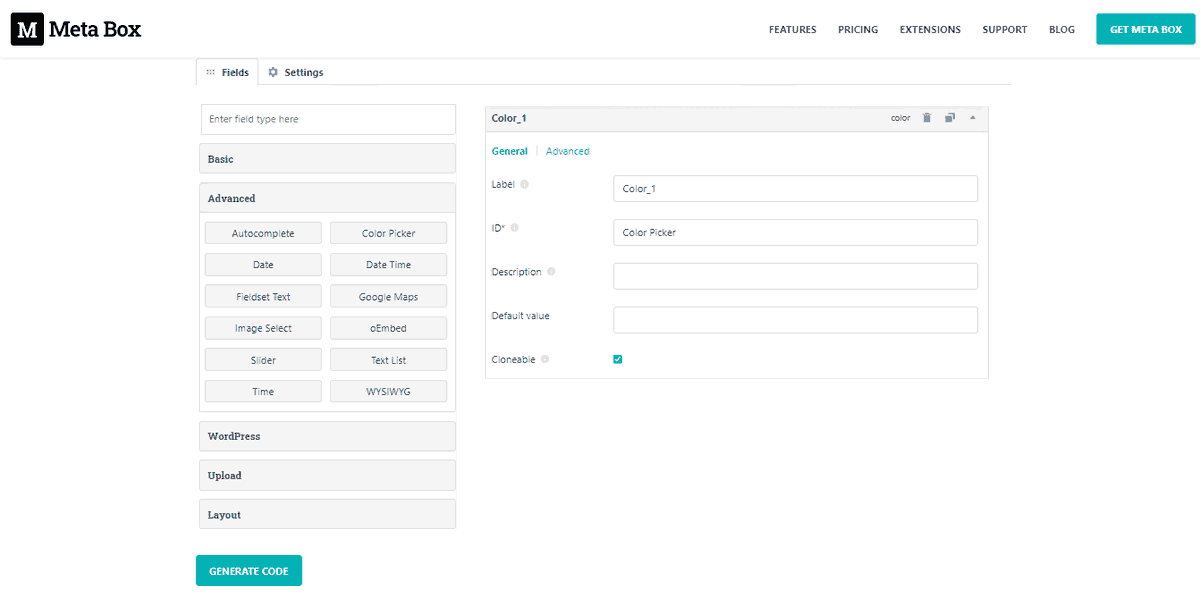
3. Create a field group
Create a field group and add the fields your content needs. For a Property post type, for example, you might add:
- Price.
- Bedrooms.
- Bathrooms.
- Area.
- Address.
- Gallery.
4. Set the field-group location
Use the Location settings to decide where the fields should appear. A field group can target a post type, specific content or other supported objects. Premium location and conditional-logic extensions provide finer rules when needed.
5. Display the field values
There are several ways to display Meta Box data:
- WordPress Block Bindings for supported core blocks.
- Dynamic data integrations in builders such as Bricks, Elementor and Divi.
- MB Views for templates built with HTML, CSS, JavaScript and Twig.
- PHP helper functions in a custom theme or plugin.
Meta Box and WordPress Block Bindings
Meta Box 5.14 added native Block Bindings support. Meta Box fields can now appear as a data source in WordPress’ Block Bindings interface, allowing compatible blocks to display custom field values without a shortcode or custom template function.
This makes Meta Box more relevant to modern block-theme workflows because structured data can increasingly be connected directly to core WordPress blocks.
The Block Editor custom field
In January 2026, Meta Box introduced a Block Editor field. Instead of storing only a text value, a custom field can provide a Gutenberg-style block editing area of its own.
Subsequent 2026 releases added a structure panel, inspector sidebar, fullscreen mode, resizable height, block breadcrumbs and better third-party block compatibility.
This is useful when a structured content type needs a rich block-based section without handing editors the entire main WordPress editor.
MB Relationships
MB Relationships connects posts, terms and users using real relationship data rather than treating every connection as a normal custom field.
It supports one-to-one, one-to-many, many-to-one and many-to-many relationships. Recent 2026 improvements added easier “has one” rules so editors cannot accidentally connect multiple items where the data model requires only one.
Relationships are stored in a dedicated custom table, which makes bidirectional querying cleaner and avoids filling post/user/term meta tables with relationship records.
MB Custom Table and Custom Models
By default, WordPress custom fields are typically stored in meta tables such as wp_postmeta. That model is convenient, but very large structured-data projects can accumulate an enormous number of rows.
MB Custom Table lets a field group store its values in a dedicated database table, with each object represented by a row and fields mapped to columns. Columns can also be indexed.
This can improve data organization and query efficiency for appropriate workloads, but a custom table is not automatically faster in every project. The benefit is greatest when the data model and queries genuinely justify a dedicated schema.
Meta Box also supports Custom Models, letting developers create structured objects stored in their own custom tables rather than representing everything as a WordPress post.
MB Views: display dynamic content without editing theme files
MB Views is Meta Box’s template layer. You can pull fields, post data, users, site settings and query results into frontend templates and control where those templates appear.
Views support HTML, CSS, JavaScript and Twig. Developers can also keep Twig templates in external files under version control and load them from a theme or plugin.
For teams that want structured data without committing to a page builder, MB Views can be a powerful middle ground between visual building and fully custom PHP templates.
MB Blocks
MB Blocks lets developers create custom Gutenberg blocks using PHP and Meta Box fields rather than building the entire editing UI in React.
Block field data can be stored inside block markup, in post meta or, with MB Custom Table, in custom database tables. This provides considerable flexibility for dynamic custom blocks.
WooCommerce HPOS support
Meta Box 5.15 added support for WooCommerce High-Performance Order Storage (HPOS). Custom fields can now be attached to WooCommerce orders using the modern WooCommerce order-storage architecture.
This matters for WooCommerce development because order metadata should no longer assume every order behaves like a traditional WordPress post.
Can Meta Box bulk edit custom fields?
This is a search query we see around Meta Box, and the answer needs some nuance.
Meta Box itself provides powerful field creation and management, but it does not turn every custom field into a native WordPress Quick Edit / Bulk Edit control automatically.
The official MB Admin Columns Integration can expose Meta Box fields in admin tables with search, inline editing, sorting and export capabilities. For more advanced bulk-edit workflows, Admin Columns Pro or custom development may still be appropriate depending on the field type.
Meta Box Local JSON also helps developers bulk-edit field definitions and settings as files, which is different from bulk-editing the saved content values themselves.
Do you still need the Meta Box Online Generator?
The Meta Box Online Generator still exists and remains useful when you want generated PHP code without installing a builder UI.
However, it is no longer the required workflow for free users. Meta Box Lite now provides a visual builder inside WordPress.
Developers can also generate PHP from the UI and move the configuration into a theme/plugin, or use Local JSON for version-controlled field definitions.
Meta Box vs ACF in 2026
Meta Box and Advanced Custom Fields are both mature solutions. The better choice depends more on architecture and workflow than on a single missing feature.
| Area | Meta Box | ACF |
|---|---|---|
| Free visual field builder | Yes, via Meta Box Lite | Yes |
| Custom post types/taxonomies UI | Included in Meta Box Lite | Available in current ACF |
| Repeating/grouped data | MB Group / premium ecosystem | Repeater and Flexible Content in ACF Pro |
| Custom database tables | Dedicated MB Custom Table + Custom Models | Not a standard ACF Pro feature |
| Relationships | Dedicated relationship engine with custom table | Relationship field and bidirectional features |
| Frontend templates | MB Views with Twig | Usually theme code, blocks or page-builder integrations |
| Custom blocks | MB Blocks | ACF Blocks |
| Lifetime license | Available | No current lifetime tier |
ACF has a very large installed base and a straightforward all-in-one Pro product. Meta Box is more modular and becomes especially interesting when you need custom tables, complex relationships, custom models, Views or lifetime licensing.
If your team already has a deep ACF workflow, there is rarely a reason to migrate just for the sake of changing tools. Meta Box itself provides an ACF migration extension when a project has an architectural reason to move.
Meta Box pricing in 2026
Meta Box has separate personal and agency licensing structures.
Personal plans
- Basic Bundle: $49/year for 1 site and 12 Pro extensions.
- Ultimate Bundle: $99/year for 3 sites and all Pro extensions.
- Lifetime Bundle: $299 one time for 3 sites, all current/future Pro extensions and lifetime updates/support.
Agency plans
- Basic Bundle: $149/year for unlimited sites and 12 Pro extensions.
- Ultimate Bundle: $229/year for unlimited sites and all Pro extensions.
- Lifetime Bundle: $699 one time for unlimited sites with all current/future Pro extensions and lifetime updates/support.
The vendor notes that unlimited-site agency licensing does not automatically cover some hosting, SaaS, site-maintenance or similar service-provider models; those uses may require a tailored plan. Meta Box currently advertises a 14-day refund policy.
Check the official Meta Box AIO pricing before purchasing because packaging can change.
Meta Box strengths
- Works for both visual builders and code-first developers.
- Meta Box Lite is much more capable than it used to be.
- Excellent custom-table and relationship architecture.
- Strong page-builder integrations and Block Bindings support.
- Composer, PHP and Local JSON workflows suit version-controlled projects.
- Lifetime licensing remains available.
Meta Box limitations
- The ecosystem can feel fragmented. New users have to understand which extension provides which feature.
- Advanced features are more technical. Relationships, custom tables, Views and custom models reward database and WordPress knowledge.
- Not every content-management workflow is built in. Specialized bulk editing, complex filtering or editorial interfaces may still need integrations.
- Custom tables need careful design. They are powerful, but should not be used purely because they sound faster.
Who should use Meta Box?
Meta Box is particularly strong for directories, listings, WooCommerce custom data, membership sites, editorial systems and other WordPress projects where content has a real data model rather than just a title and body.
It is also a good fit for agencies and developers who want to begin with a visual interface but retain the option to move definitions into PHP, JSON or Composer-managed code later.
For a small brochure site that only needs one or two extra fields, Meta Box Lite or another simple custom-fields plugin may be enough; the full AIO ecosystem would be unnecessary.
Need help building or maintaining a custom WordPress data model? See our WordPress Maintenance service. Suitable premium licenses may be included from our available subscriptions when applicable.
Meta Box review: final thoughts
Meta Box has become much more approachable without losing the developer architecture that made it distinctive. The visual builder is now available to free users, while advanced projects can still move into custom tables, relationships, custom models, Twig Views and version-controlled configuration.
The most important 2026 changes also align Meta Box better with modern WordPress: Block Bindings, the Block Editor field, HPOS support and newer structured abilities reduce the gap between custom fields and the evolving block/automation ecosystem.
For projects where custom data is central to the website, Meta Box is no longer just a helper for adding a few post-meta fields. It is a complete framework for turning WordPress into a structured-content CMS.